Intro
In this project, I will demonstrate how to create a VPC. I’m doing this project to learn Virtual Private Cloud and Cloud Networking.
What is Amazon VPC?
Amazon VPC (Virtual Private Cloud) is a logically isolated, virtual network in the AWS cloud where you can launch AWS resources in a network that you define. It is useful because it provides you with complete control over your virtual networking environment, enabling you to control IP addresses, subnets, route tables, and network gateways for enhanced security, isolation, and scalability
In today’s project, I created a VPC and subnet and internet gateway to connect my VPC to the internet.
Personal reflection
This project took me 1 hour
Virtual Private Clouds (VPCs)
What I did in this step
In this step, I will create a VPC within my AWS account.
How VPCs work
VPCs are isolated section of the AWS cloud that help keep my AWS resources private and secure.
Why there is a default VPC in AWS accounts
There was already a default VPC in my account ever since my AWS account was created. This is because AWS has set up a default VPC to allow me to deploy resources like EC2 instances or RDS databases right away - without having to create a VPC from scratch.
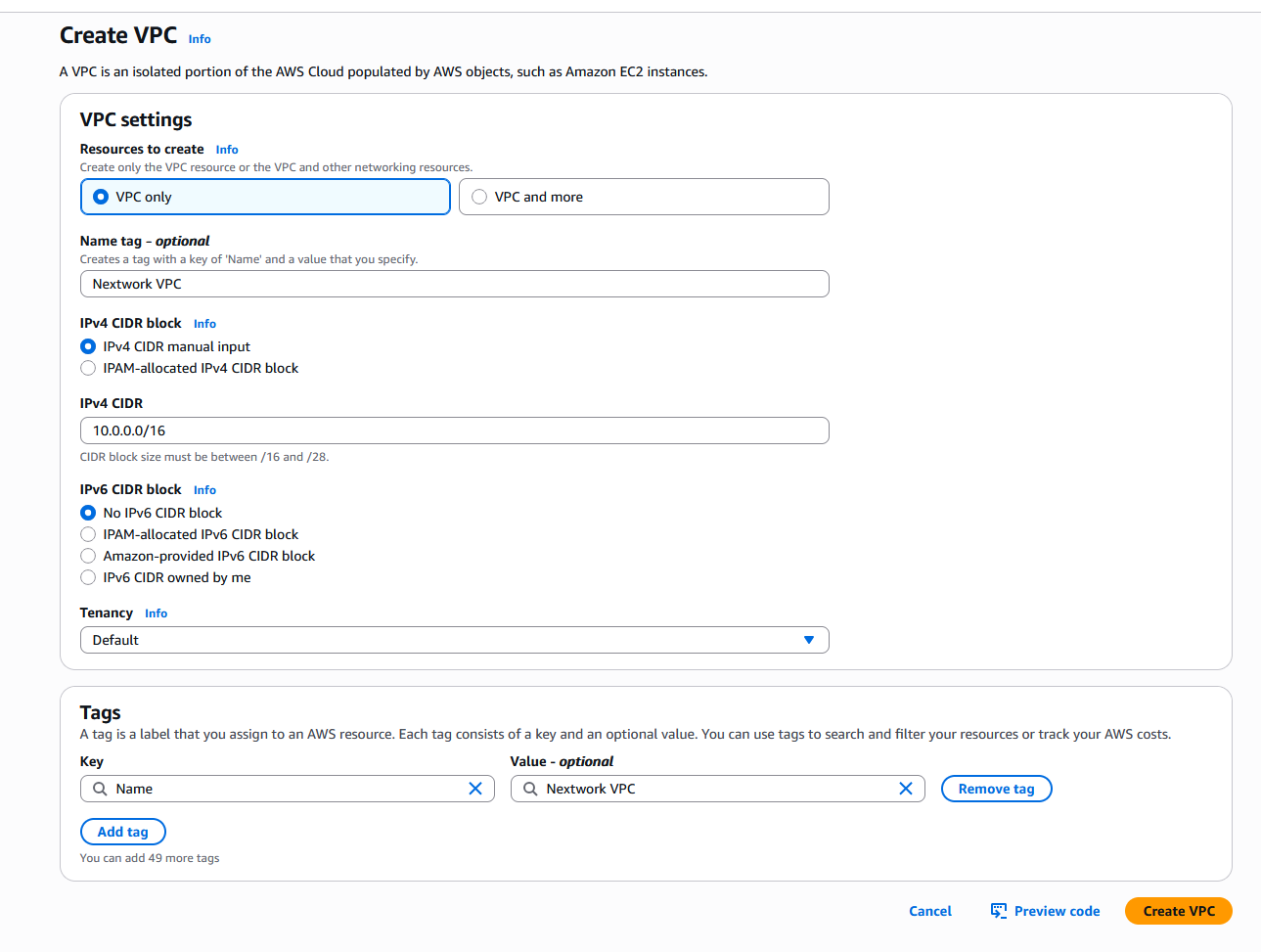
Defining IPv4 CIDR blocks
To set up my VPC, I had to define an IPv4 CIDR block, which means a range of IP addresses that my VPC can allocate to the resources deployed into my VPC.
Subnets
What I did in this step
In this step, I will create a public subnet so I can start planning where different resources will live and operate.
Creating and configuring subnets
Subnets serve as logical subdivisions within a larger network, similar to zoning in urban planning. They enable segmentation of resources based on access control policies and security requirements. Public subnets typically host resources that require internet exposure, such as web servers, while private subnets are reserved for internal-facing components with restricted access, like databases or application backends.
Public vs private subnets
The difference between public and private subnets is Public subnets typically host resources that require internet exposure, such as web servers, while private subnets are reserved for internal-facing components with restricted access, like databases or application backends. For a subnet to be considered public, it has to have a public IP assigned.

Auto-assigning public IPv4 addresses
Once I created my subnet, I enabled ‘Auto-assign public IPv4 address’. to automatically give instances in a subnet a public IP, which simplifies configuration by allowing them to communicate directly with the internet
Internet gateways
What I did in this step
In this step, I will create an internet gateway so that my VPC can have access to the outside world (internet).
Setting up internet gateways
An internet gateway connects your city (VPC) and the outside world (internet).
Internet gateways are key to making applications available on the internet. By attaching an internet gateway, your instances can access the internet and be accessible to external users.
Attaching an internet gateway to a VPC creates a scalable and redundant connection to the internet, allowing instances within the VPC to send and receive traffic from the internet

Using the AWS CLI
What I’m doing in this extension
In this project extension, I will open AWS Cloudshell to launch VPC’s resources.
Exploring CloudShell and CLI
VPC resources could also be created with CloudShell, which is is shell in your AWS Management Console, which means it’s a space for you to run code. The awesome thing about AWS CloudShell is that it already has AWS CLI pre-installed.CLI is a software that lets you create, delete and update AWS resources with commands instead of clicking through your console.
Debugging my setup
To set up a VPC or a subnet, you can use the command aws ec2 create-subnet —vpc-id vpc-00343780b456cd979 —cidr-block 10.0.0.0/16 Make sure to avoid errors by including properly formatted CIDR block.

Comparing CloudShell vs AWS Console
Compared to using the AWS Console, an advantage of using commands is faster and can be automated. Overall, I preferred using the CloudShell + CLI.