Intro
In this project, I will demonstrate how to use encryption to secure data. The goal is to create encryption keys with AWS KMS, encrypt a DynamoDB table’s data with that key and then test using IAM users.
Tools and concepts
Services I used include AWS KMS, DynamoDB, and AWS IAM. Key concepts I learned include encryption, database tables, KMS permissions to encrypt and decrypt.
Project reflection
This project took me approximately 1 hour. The most challenging part was understanding how encryption works differently from other access controls.
I chose to do this project today because I currently studying for SCS-C03 exam and to learn how encryption and AWS KMS works. This project helped me learn the basics of AWS KMS and encryption.
Encryption and KMS
Encryption is a process that uses algorithms to convert data into a secure format called ciphertext. So that this data is secured from unauthorized use. Encryption keys tell the algorithm how it would transform plain text into cipher text.
AWS KMS is Key Management Service which is a vault for encryption keys. Key management systems are important because they help us secure and manage keys we use to secure data.
Encryption keys are broadly categorized as symmetric and asymmetric. I set up a symmetric key because I will be using the same key to encrypt and decrypt the data. Asymmetric key would be a good choice if I needed different keys for decryption, for example where two parties are involved.

Encrypting Data
DynamoDB is a NoSQL, extremely fast and flexible AWS database service. DynamoDB is great for apps that extremely fast access to large amounts of data quickly, for example gaming.
The different encryption options in DynamoDB include. ‘Owned by Amazon DynamoDB’, ‘AWS Managed key’ and ‘Customer Managed key’. Their differences are based on who creates and manages key and weather we have visibility. I used CMK.

Data Visibility
Rather than controlling who has access to the key, KMS manages user permissions by controlling the actions that users can perform with that key. In this case, even if I gave test user the permission to see the key, it would still need permission to decrypt.
Despite encrypting my DynamoDB table, I could still see the table’s items because I am the user of the key. DynamoDB uses transparent data encryption, which means it does the encryption and decryption process for me because it knows I am an authorized user.
Denying Access
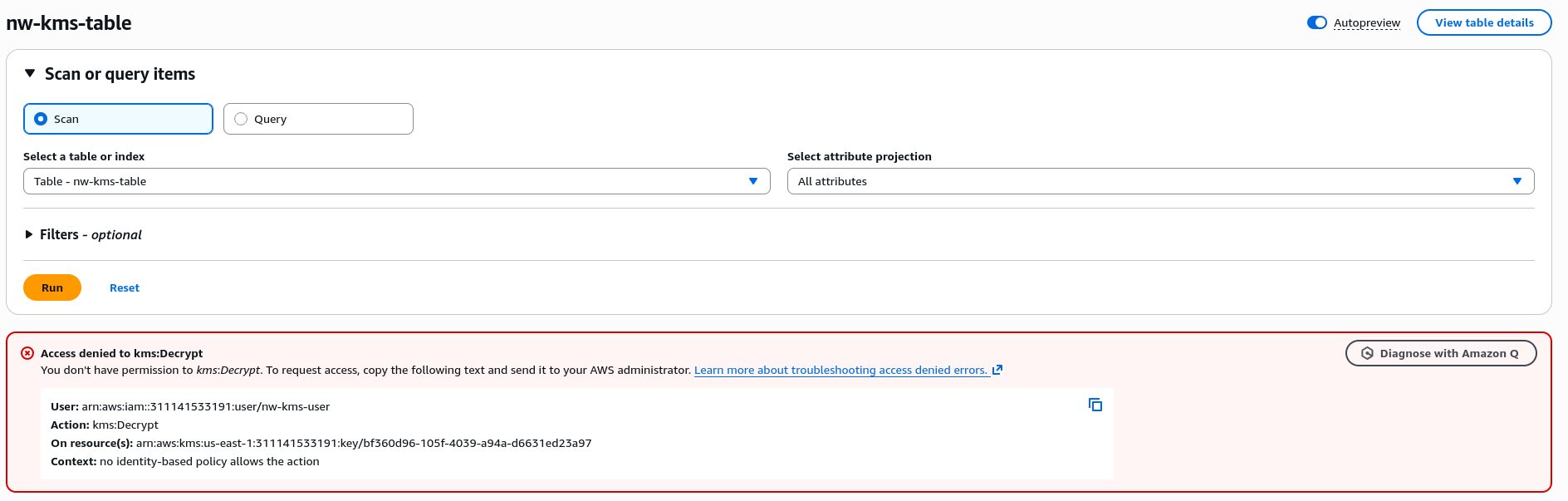
I configured a new IAM user to validate weather unauthorized users can still access encrypted data. The permission policies I granted this user are ‘AmazonDynamoDBFullAccess’ but not encryption/decryption permission with AWS KMS.
After accessing the DynamoDB table as the test user, I encountered an error stating Access Denied because I am logged in as an unauthorized user. This confirmed that encryption is working as intended and only users that have permission to decrypt data can view the data.
EXTRA: Granting Access
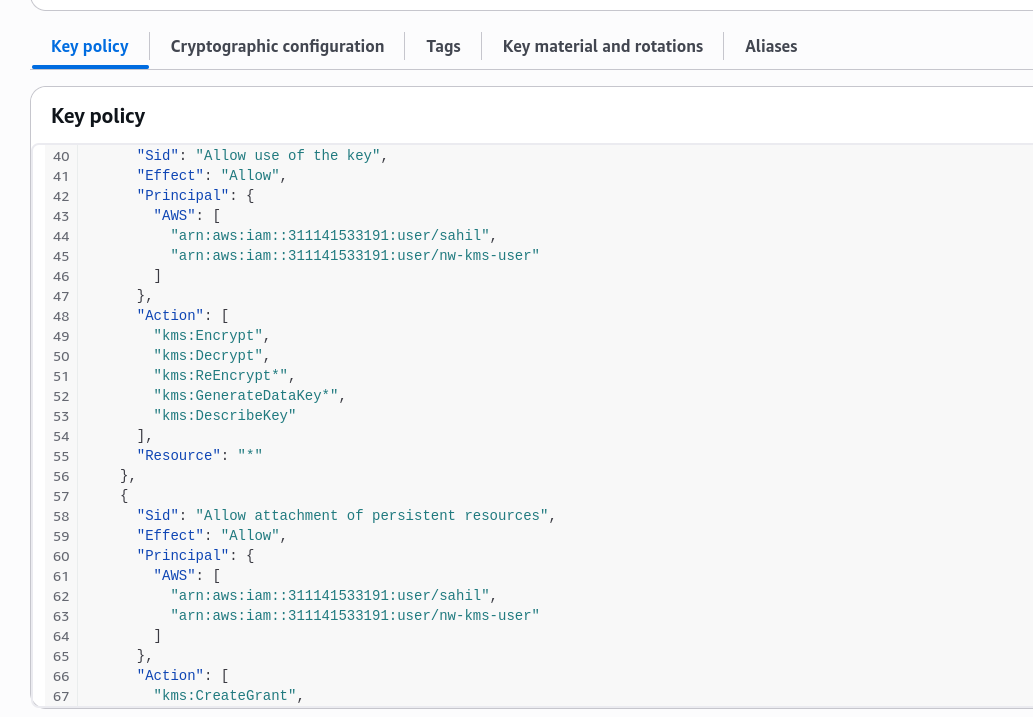
To let my test user use the encryption key, I added nw-kms-user to Key Users in the KMS console. My key’s policy was updated to allow nw-kms-user to encrypt, decrypt, re-encrypt and other actions using the key.
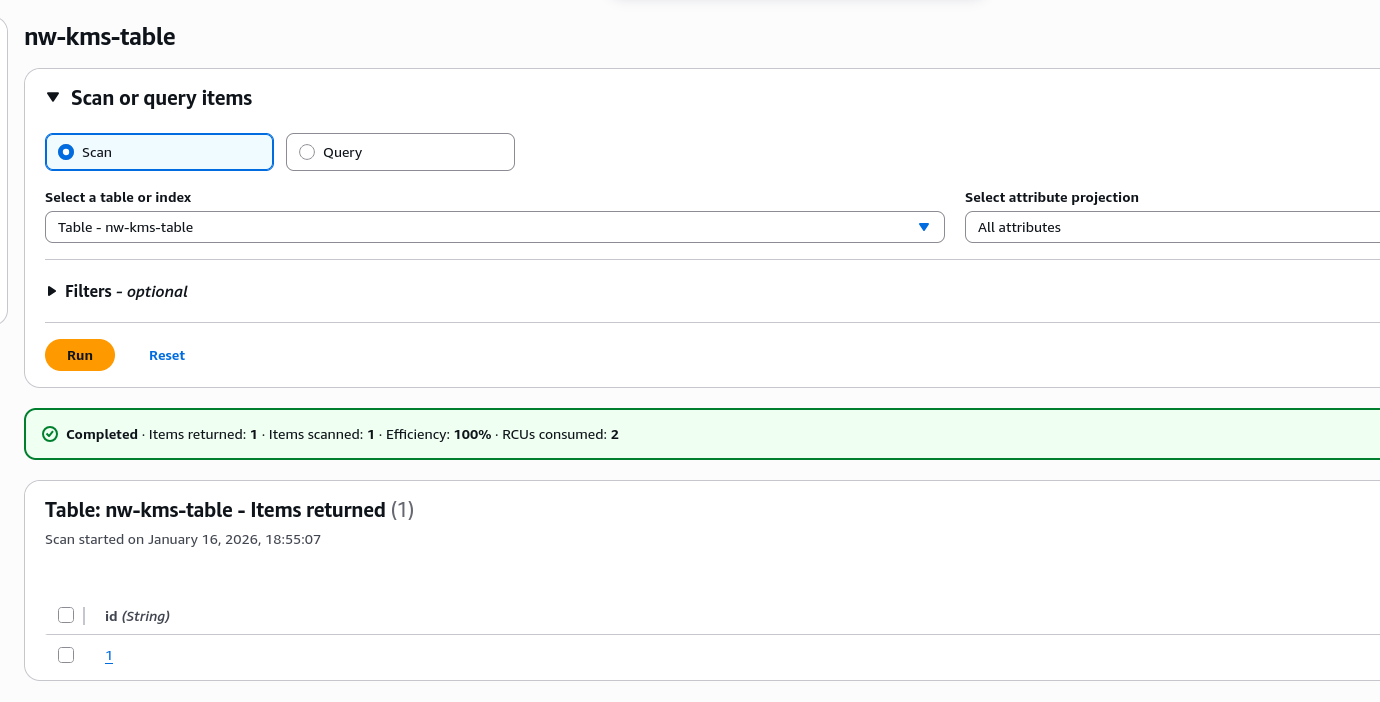
Using the test user, I retried by going to ‘Explore Items’ in DynamoDB console and I was able to access the items under ‘nw-kms-table’
Encryption secures data instead of an entire resource or servce. I could combine encryption with other access control tools like Security Groups, Permission Policies and NACLs to have multiple layers of security.